
Freeform website builder

The freeform website builder: drag anything, anywhere.

Place text, images, buttons and forms exactly where you want them on a canvas, and the phone layout is derived for you. When the site needs a store, bookings, a menu or a blog, install one of ten business cores into the same editor.

No credit card to start. Publish when you are ready.

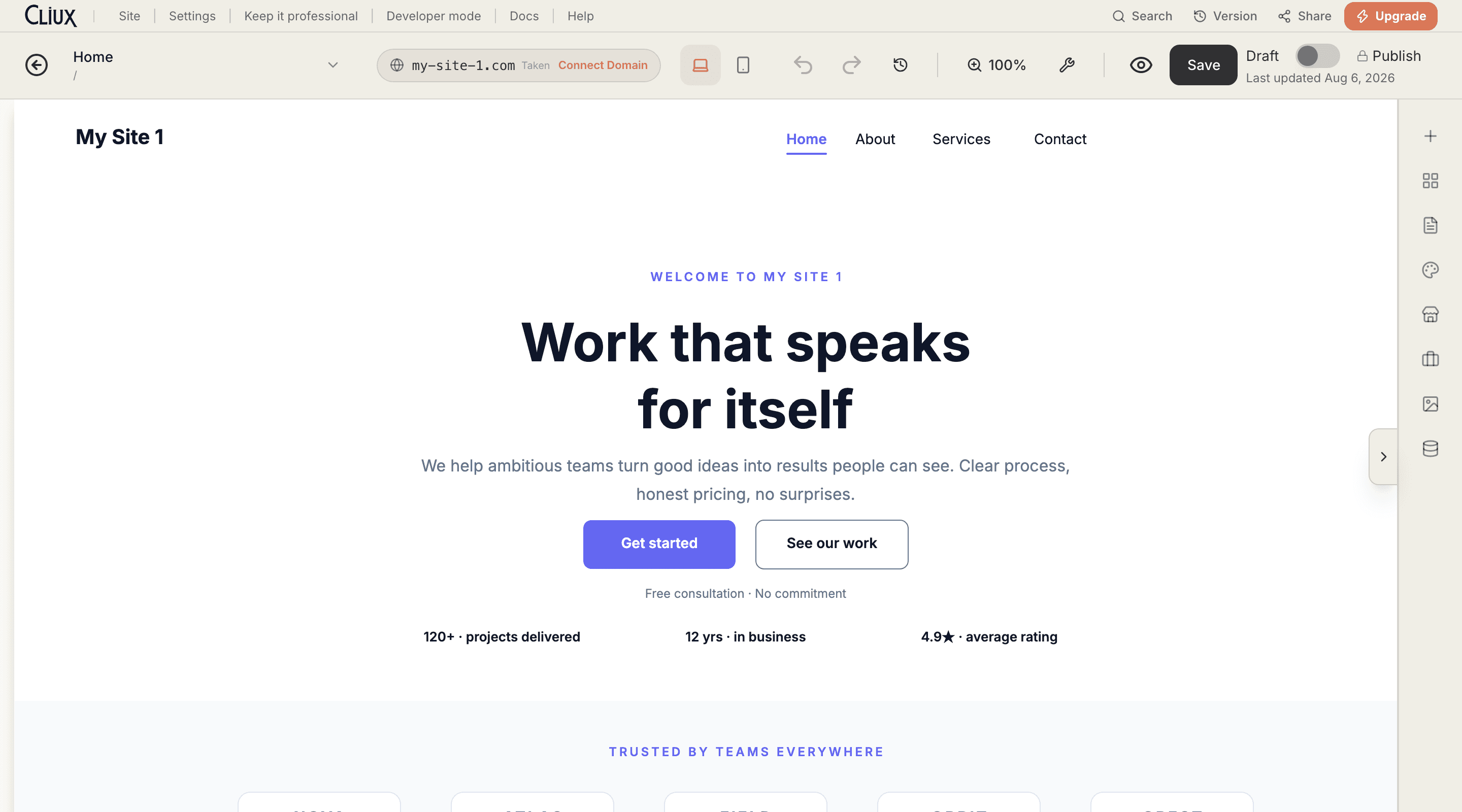
The Cliux editor with a starter page open on the freeform canvas, a heading selected with its handles showing, the device toggle and the publish controls in the toolbar.

Built in

  • Freeform canvas
  • Phone layout derived for you
  • 10 business cores built in
  • Developer mode with page code
  • Custom domains

What it does

Build it. Sell from it. Grow it.

Three jobs a business site has to do, and the three the editor does natively. Start with the first; the other two are already installed when you need them.

Build

A canvas, not a column of sections.

Every element on a Cliux page has coordinates. Move a heading two pixels, overlap a photo with a card, put a button where a stacked builder would never let you. Sections still exist for structure and reuse; they do not decide your layout.

  • Absolute positioning

    Drag any element anywhere and it stays exactly where you put it.

  • Phone layout, derived

    The mobile view is built from your desktop page as a column, and you can rearrange it on its own.

  • Developer mode

    Page code, events and a console when you want them. Never required.

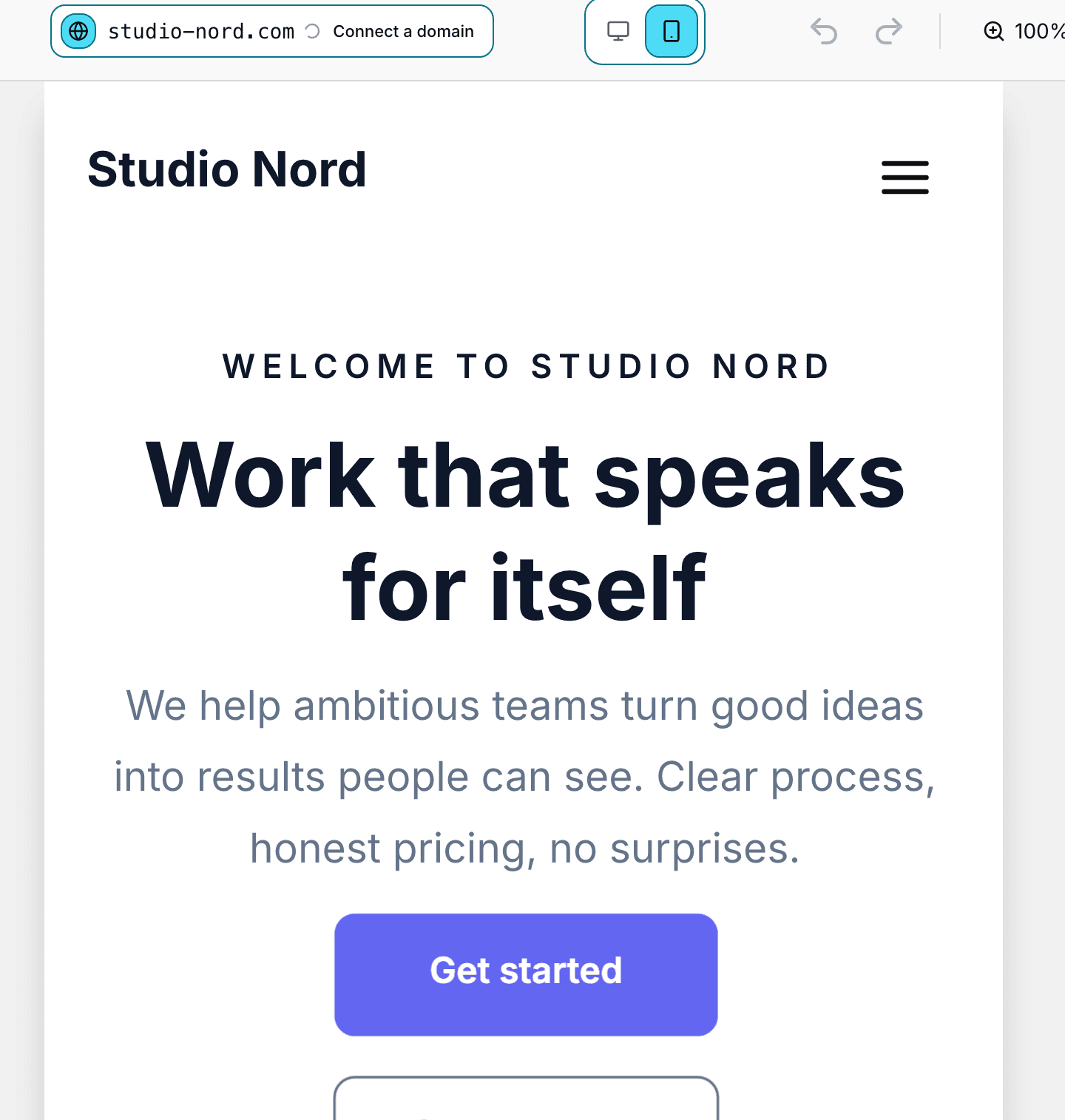
The Cliux editor in phone view: the device toggle set to mobile and the same starter page drawn as a single column on the phone canvas.

Sell

A store, bookings or a menu, in the site you already built.

Ten business cores install into the same editor and take the same theme: an online store with Stripe checkout, appointments with staff and packages, a restaurant menu with ordering and reservations, events with tickets, donations and subscriptions.

  • Store

    Products, categories, discounts, shipping zones and orders, paid through Stripe.

  • Bookings

    Services, staff, schedules, packages and reminders.

  • Restaurant

    A menu, online ordering, delivery zones and reservations.

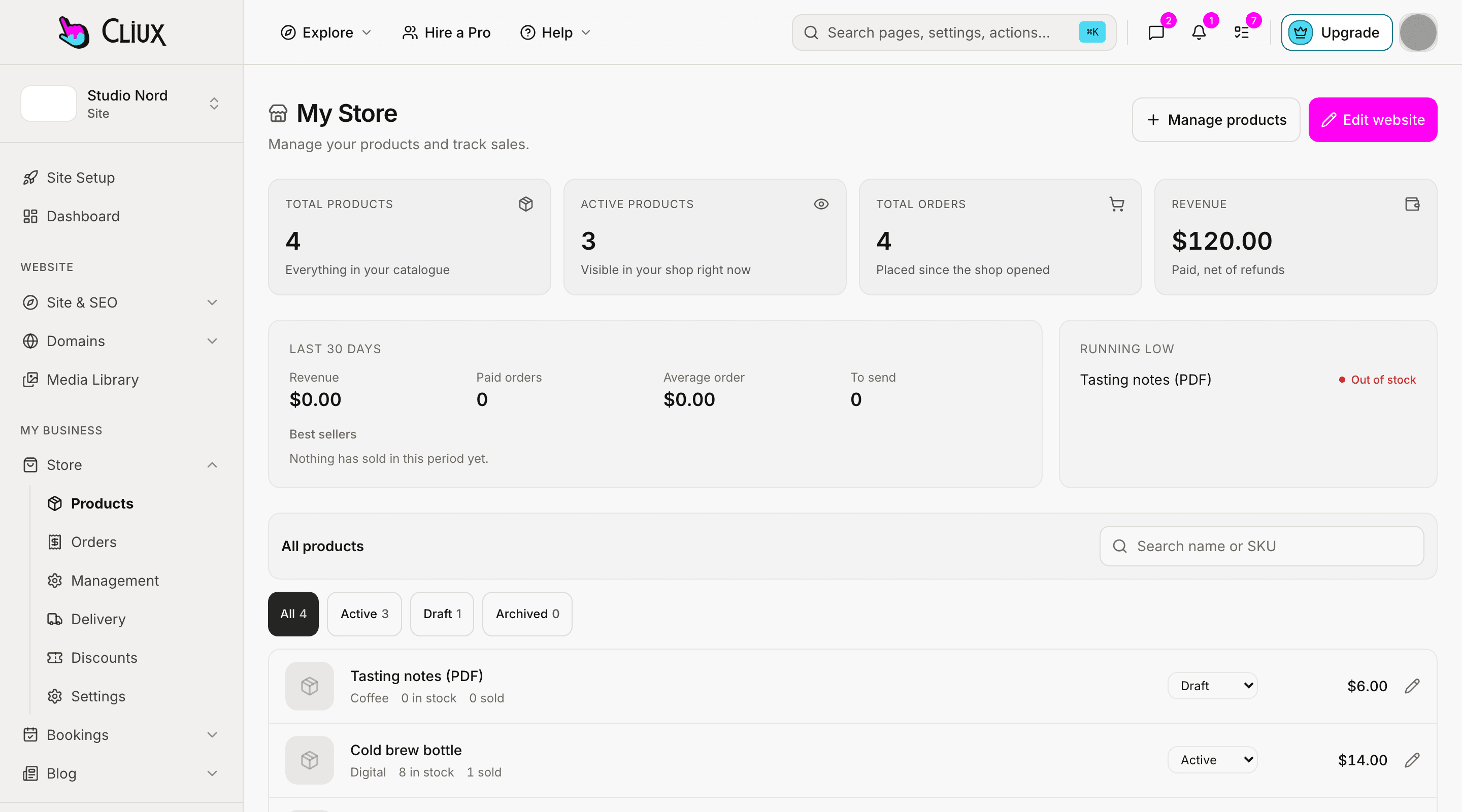
The store screen of the site console with sample products and orders.

Grow

Contacts, forms, a blog and the numbers, without leaving.

A form submission with an email becomes a contact. Pipelines track the deals, the chat inbox holds visitor conversations, the blog and the SEO settings bring visitors, and analytics shows what they did.

  • CRM

    Contacts, pipelines with tagged tickets, and a live-chat inbox for visitor conversations.

  • Forms and chat

    Lead capture forms and a site chat; a submission with an email is kept as a contact.

  • Analytics and SEO

    Visits, page views, devices and top pages, plus per-page metadata, a sitemap and Article markup on blog posts.

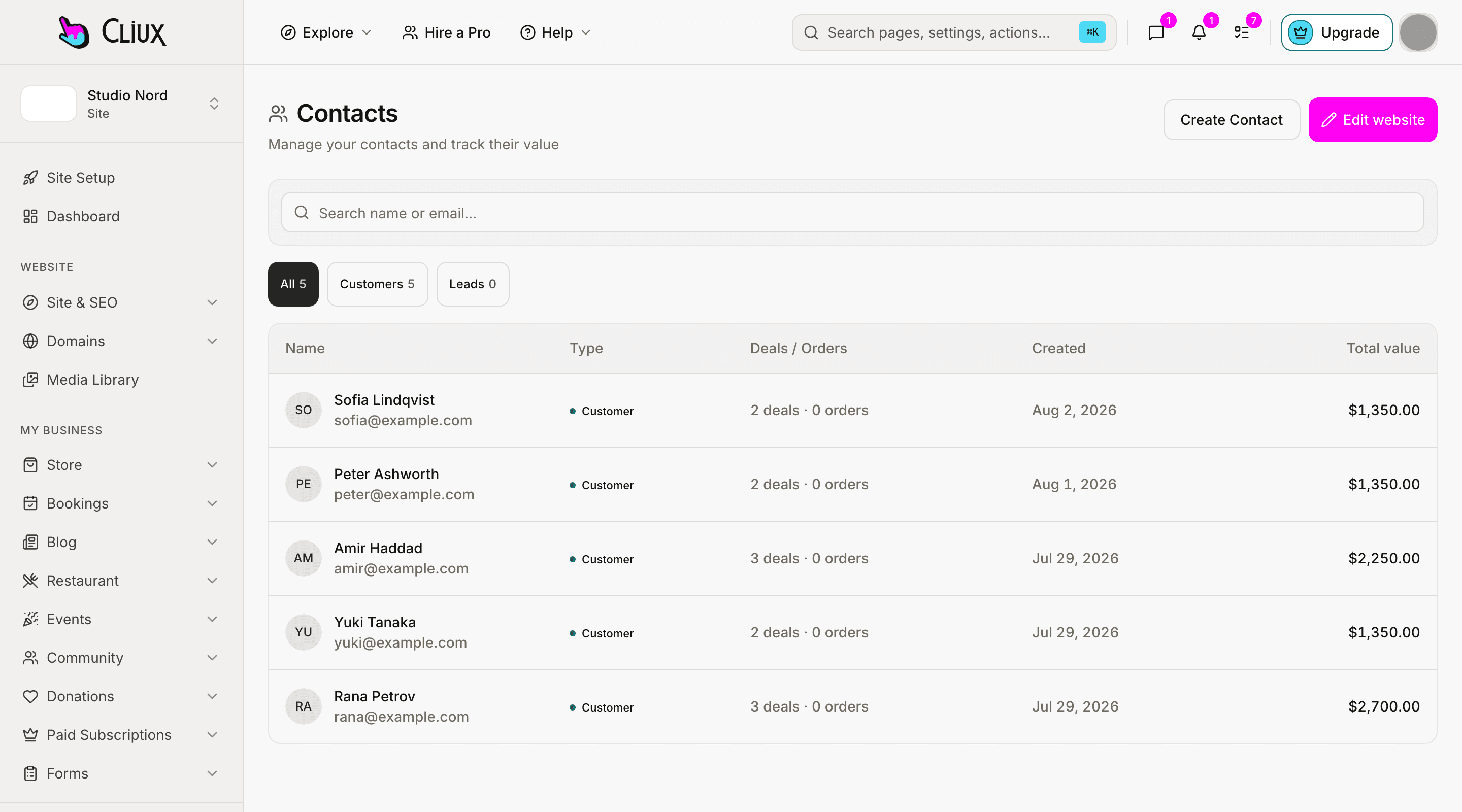
The contacts screen of the site console with sample contacts.

How it works

One canvas that does not push back, and one editor for every core.

What separates a freeform builder from a section stacker, in two pictures: where an element goes, and where a store goes when the site needs one.

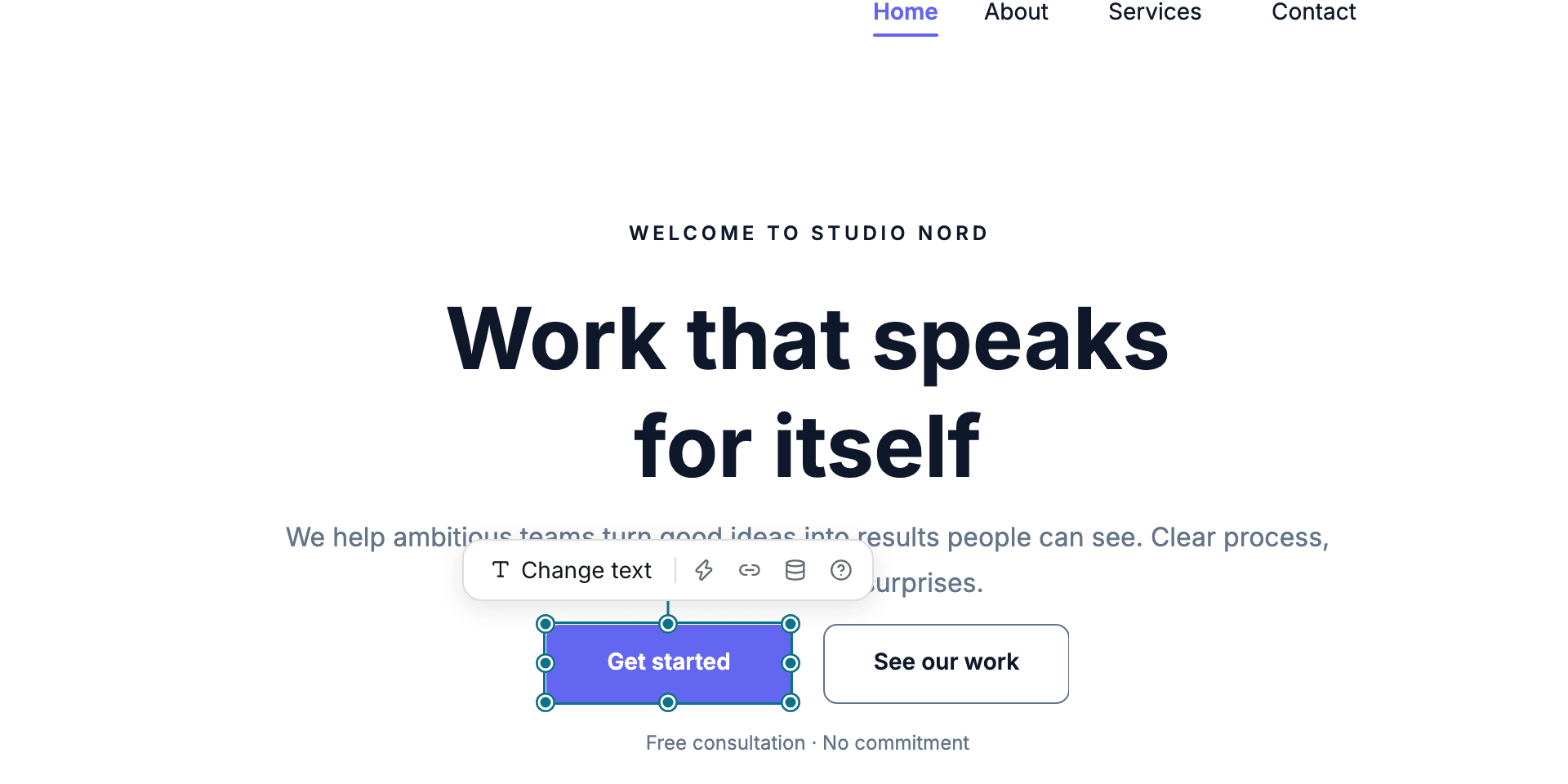
A close-up of the Cliux canvas: a button selected with its eight handles and its floating toolbar above it, on a page being edited.

Freeform, not stacked.

Most builders stack blocks and you live with each block's layout. Here every element has a position, guides snap it to its neighbours, sections are containers you can still reorder and reuse, and the phone layout is derived from what you placed.

Ten cores, one editor.

Store, Bookings, Restaurant, Forms, Smart Chat, Donations, Events, Subscriptions, Community and Blog. Install one and its pages appear in the same editor, styled by the same theme.

Drag-and-drop components
369
The count the editor registry logs at boot.
Business cores
10
One directory per core in the product.
Themes
11
Every preset the site wizard offers.
Site types
8
Every kind of site the wizard asks about.

Every number on this page is counted in the product, not estimated.

Starting points

11 themes, 8 kinds of site, rendered live.

88 combinations, each a full multi-page site from the same renderer that publishes yours. These three are the real pages, scaled down, not thumbnails.

Browse templates

How it works

From a blank canvas to a live site, in three steps.

The wizard sets the page up, the canvas lets you move anything, and publishing waits until you are ready for it.

  1. Pick a theme and a kind of site

    The wizard asks what the site is for and which theme it should wear, then lays out its first pages in that theme: a home, an about, a contact page and the ones that kind of site needs.

  2. Drag it into shape

    Every element on the canvas moves anywhere and stays where you drop it. The phone layout is derived from the desktop one, and you can edit either on its own.

  3. Publish on your own domain

    Building and previewing cost nothing. When the site is ready, pick a plan, connect a domain you own or keep the Cliux subdomain, and it is live.

Get started

Build it for free. Publish when it is ready.

Building and previewing costs nothing. Publishing with your own domain is $9 a month on a personal site, and the agency Starter plan publishes 2 client sites for free.

  • Why Cliux?
  • Freeform canvas
  • Ten business cores
  • Phone layout, derived
  • Your own domain
  • Developer mode
Cliux: the freeform website builder