

Integrations
What Cliux connects to.
Payments run through your own Stripe account. Google Analytics and the Meta Pixel load on your published site behind a consent banner. Everything else a site reaches out to is built into the editor and the forms: embeds, a webhook, your own code. There is no app market, and no key to paste for what is already inside.
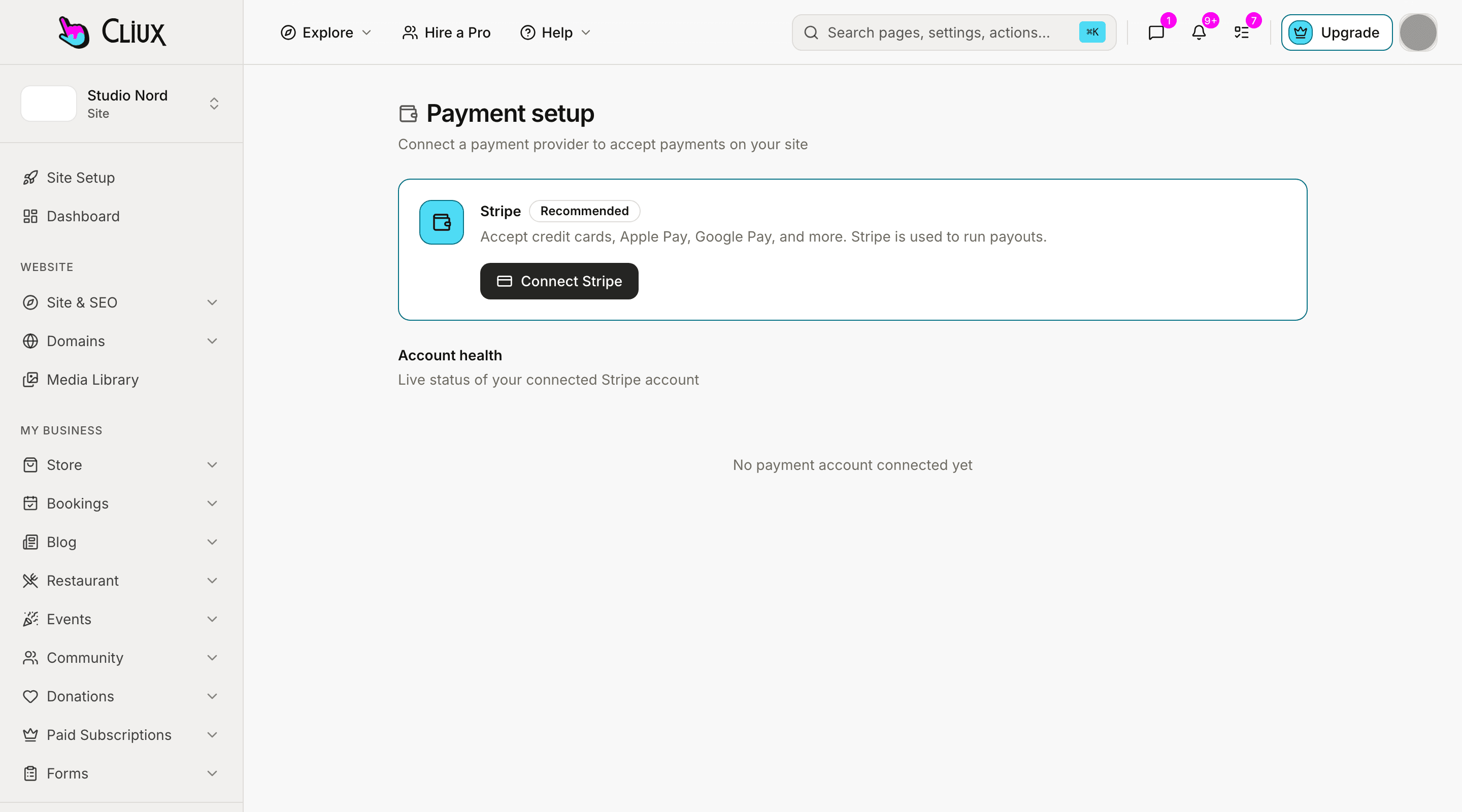
Connected accounts
Payments run through your own Stripe account.
One authorisation from the console. Every checkout on the site charges it directly, and Cliux adds no fee of its own.
Stripe
Take payments through your own Stripe account.
Connect a Stripe account once from the console. Every checkout on the site charges it directly, Cliux adds no fee of its own, and a refund is a button in the same console.
Connect from the console
One authorisation on the Payment setup screen (Payments & Sales → Setup & Connect); agencies connect theirs from the Launchpad.
Direct charges
Each checkout is created on your connected account. Cliux takes no application fee, and a test in the codebase refuses one being added.
Card payments, on purpose
Checkouts accept cards. Delayed methods that complete days later were left out so an order never finishes against stock the site has already released.
Tracking, with consent
Google Analytics and the Meta Pixel, behind a banner that asks first.
Both vendors set cookies in the visitor's browser, so the published site shows a consent banner while an id is set and loads the script only after the visitor accepts. The owner can turn the banner off, and then asking is on them.
Two fields under SEO & GEO
Paste an id. The site asks the visitor. The script loads after the answer.
A GA4 measurement id and a Meta Pixel id sit side by side in the Tracking card. While either is set, your published pages show a consent banner at the foot; Accept loads the vendor on that page, Decline is remembered. Cliux's own analytics sets no cookie and keeps counting either way.
One id each
A G- measurement id, a numeric pixel id; anything of another shape is refused before it is saved.
Loaded after consent
Nothing about a vendor is in the page until the visitor accepts.
Undo is clearing the field
Remove the id and the script and the banner are gone on the next visit.
Built into the editor
Video, audio, maps and any embed code, as elements on the canvas.
Dragged in like a heading, sized like a picture. None of them asks for an API key.
YouTube and Vimeo
A video element takes the link and plays it in place.
Spotify, SoundCloud, Apple Music
Embed elements for a track, an album or a playlist.
Google Maps
A map element from an address. Nothing to create at Google and nothing to paste.
HTML embed
Paste a provider's embed code and it renders on the page.
Website embed
Another site in a frame, sized on the canvas like anything else.
Page code
Your own JavaScript on a page, addressing elements by name, in the code editor.
Out of your site
What leaves the site, and where it goes.
A submission can be posted to a URL and mailed to an address; a booking comes with a calendar file.
Forms
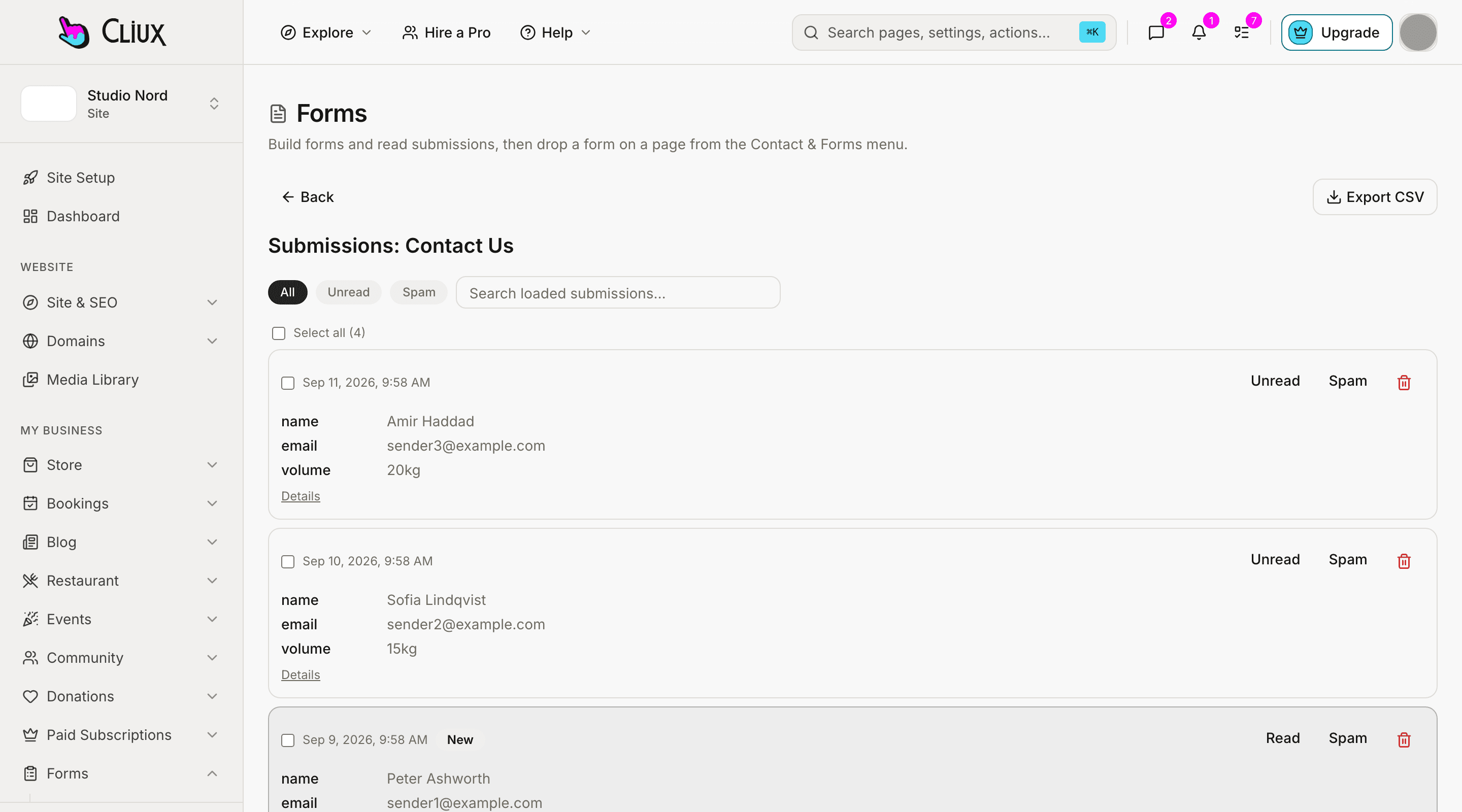
Every form has an inbox, and can post each submission to a URL you give.
The webhook is a plain JSON POST to an address of yours, sent the moment a visitor submits, with the same fields the inbox shows. It is how a submission reaches a tool outside Cliux today; there is no native connector to any of them.
A webhook per form
Each form can post its submission as JSON to a URL you give. That is how a submission reaches a tool of yours today.
An email per submission
Each form can notify an address the moment it is sent.
Calendar files for bookings
A confirmed booking comes with an .ics file and add-to-calendar links.
Not today
What is not connected, and the honest route to it.
Three things a reader of this page usually looks for, said by name rather than left to be discovered.
- Native connectors to marketing tools
- There is no built-in connector to a mailing list or a CRM outside Cliux. The form webhook posts JSON to any URL, which is how those tools are reached today.
- An app market or an API key
- Nothing installs into a Cliux site from a catalogue, and there is no public API or key to create. The developer hub says the same at more length.
- Tag managers and server-side tracking
- The two tracking fields load each vendor's own script in the visitor's browser after consent. There is no container field and nothing relayed through Cliux.
Frequently asked questions
Have other questions?Use the contact form
No. What a site can do is built in: the store, bookings, memberships, forms, the blog and the rest are on every published site, and the editor's embed elements cover video, audio, maps and any provider's embed code.
Through the form webhook: each form can post its submission as JSON to a URL, which any of those tools can receive. There is no native connector to them.
Yes. Both have a field under SEO & GEO, and your published site shows a consent banner and loads each script only after the visitor accepts. The first-party analytics needs neither.
No. The map element embeds Google Maps from an address without a key, and the video element takes a YouTube or Vimeo link.
When one ships it gets a page here, described from the screen where you make it. Tell us which one you would use through the contact form; the list is prioritised from those requests.
Get started
Connect what you have. Build the rest on the canvas.
Building and previewing costs nothing. Publishing with your own domain is $9 a month on a personal site, and the agency Starter plan publishes 2 client sites for free.