

Freeform editor
Drag anything, anywhere. The phone layout follows.
A canvas where an element sits exactly where you drop it, not a column of blocks. Design the desktop page; the phone layout is derived from it and stays editable.
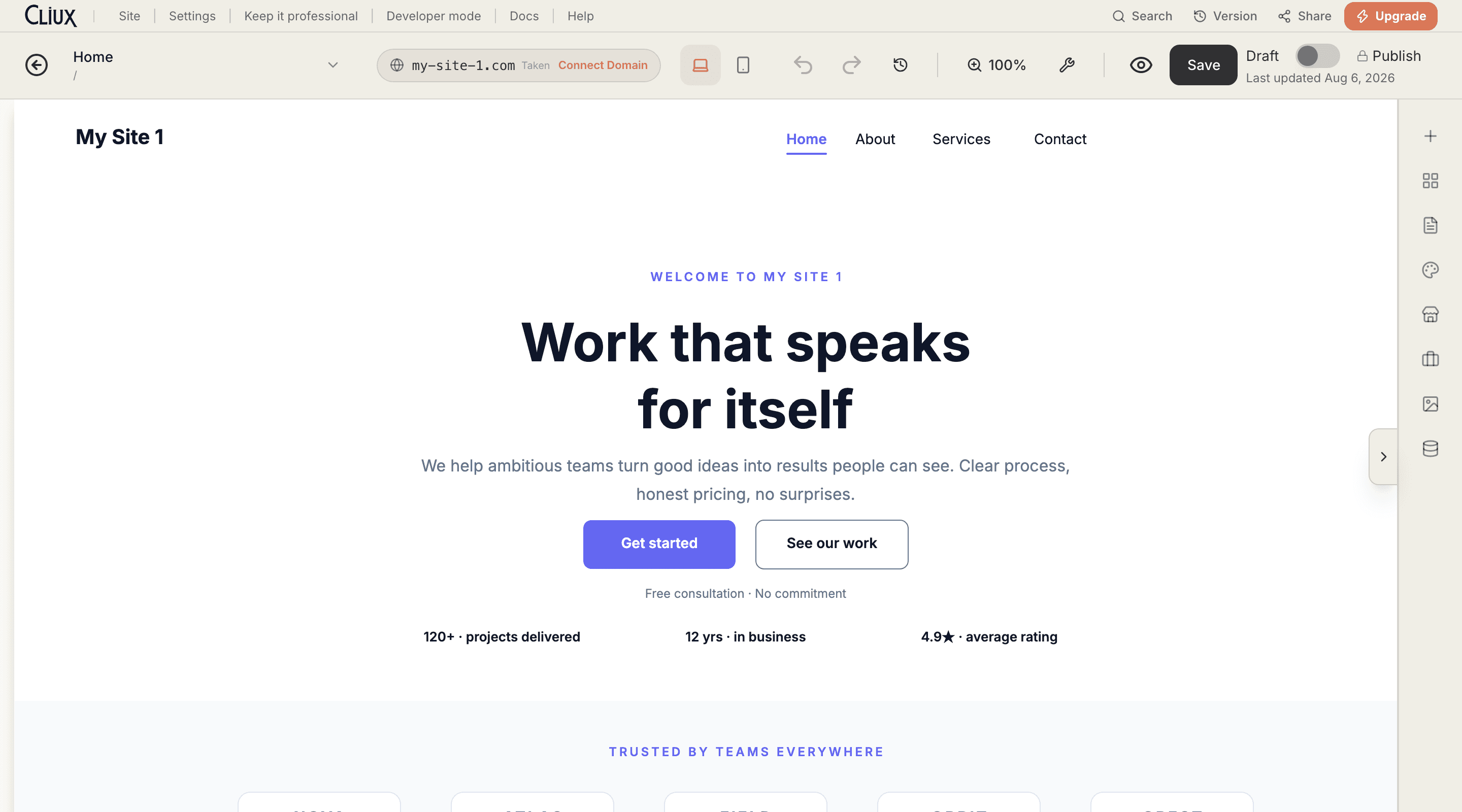
The canvas
A canvas, not a column of sections.
Every element has coordinates. Move a heading two pixels, overlap a photo with a card, set a button off the grid: the canvas allows it, and snap guides, rulers and a grid keep it straight when you want straight.
Absolute positioning
Drag and resize anything; nothing reflows under you.
Snap guides, rulers, layers
Alignment lines as you drag, a ruler overlay, a layers panel for stacking.
Undo and page versions
A hundred steps of undo, and saved versions of a page you can go back to.
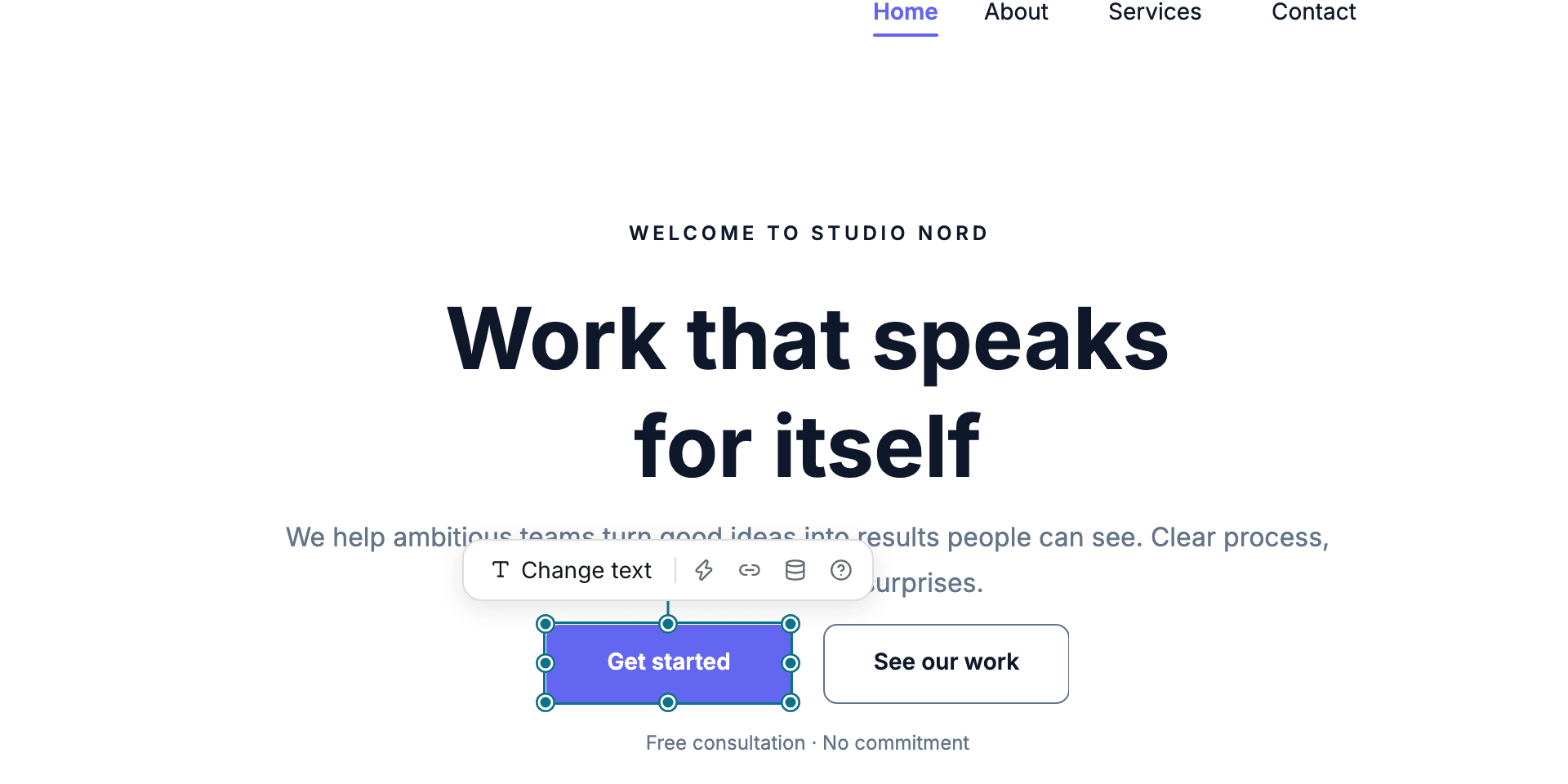
The phone layout
Design once. The phone layout is derived, and yours to edit.
The phone version is not a shrunken photocopy of the desktop page: elements are re-flowed into a column at readable sizes. Switch to the phone view and adjust anything; your edits are kept.
Derived, not scaled
A phone column built from the desktop page, with sizes a thumb can use.
Themes and font pairings
Eleven colour themes and eight font pairings; change one and every page follows.
Motion without code
Entrance, scroll, loop and hover effects per element or per section.
- Drag-and-drop components
- 369
- Section templates
- 70
- Colour themes
- 11
- Entrance animations
- 11
Counted in the product, not estimated.
Capabilities
What you get
Every capability below is on every plan; building is free and publishing is the plan.
Section templates
Heroes, features, pricing, galleries, store and booking widgets: drop one in and edit it on the canvas.
Shared header and footer
Edit the header once and every page carries it; the same for the footer.
Developer mode
Page code, canvas scripts, code files and CMS databases in an editor with search, when you want to write some.
CMS binding and repeaters
Bind text and images to a collection, and repeat a card for every item in it.
Image crop and popups
Crop in place, and add popups that open on a click, on load or after a delay.
Preview and publish
A shareable preview link while you build; Publish puts the page on your domain.
Go deeper
More on Page Builder
Frequently asked questions
Have other questions?Use the contact form
No. Everything on this page is done on the canvas. Developer mode is there if you want to add code, and it is optional.
Yes. It is derived from the desktop page as a single column at readable sizes. You can switch to the phone view and change anything, and your changes are kept.
Yes. Elements have coordinates rather than an order, so overlaps and offsets are allowed. Snap guides and rulers help you keep things aligned.
Undo covers your last hundred steps, and the History panel keeps saved versions of a page you can restore.
Team members can open the same site; live cursors and simultaneous editing of one page are not part of the editor today.
Get started
Try Page Builder for free.
Building and previewing costs nothing. Publishing with your own domain is $9 a month on a personal site, and the agency Starter plan publishes 2 client sites for free.