

Members and discussion
A community on your domain, not on someone else's.
A feed, a forum, groups and direct messages, with roles, moderation, badges and optional paid access, all under your own site and your own rules.
The modules
Feed, forum, groups, messages. Turn on what you need.
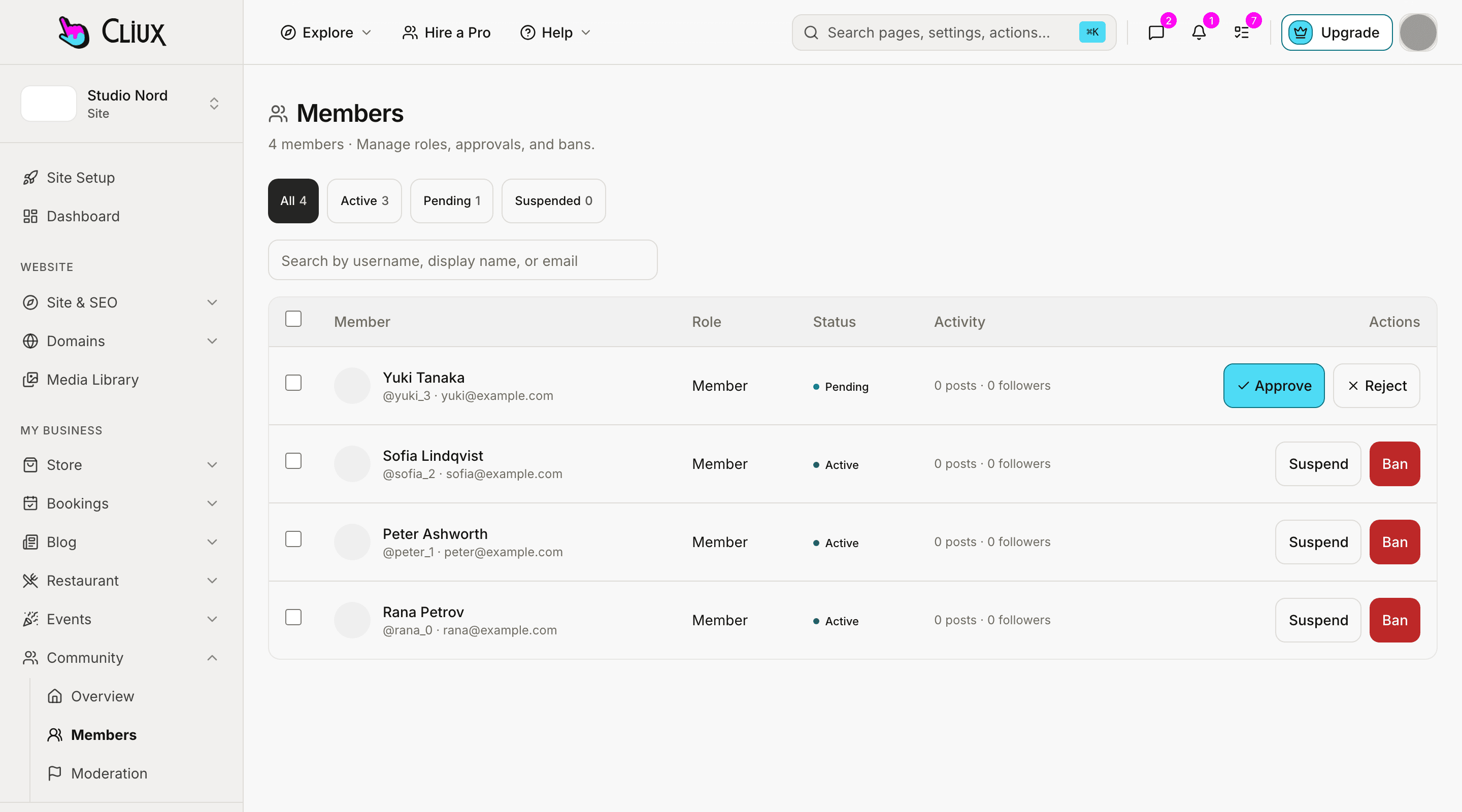
Each module is a switch. A feed for posts and reactions, a forum with categories you can nest and lock, groups with their own membership, and one-to-one direct messages. Members get in-app notifications for mentions, replies, reactions, follows and more.
Forum categories
Nested categories, threads and replies; lock a category when a topic is done.
Groups
Sub-communities with their own members and an access guard.
Ten notification types
Mentions, replies, reactions, follows, group invites and requests, messages, badges, profile posts and system notices.
Rules and roles
Your rules, your moderators, your paywall.
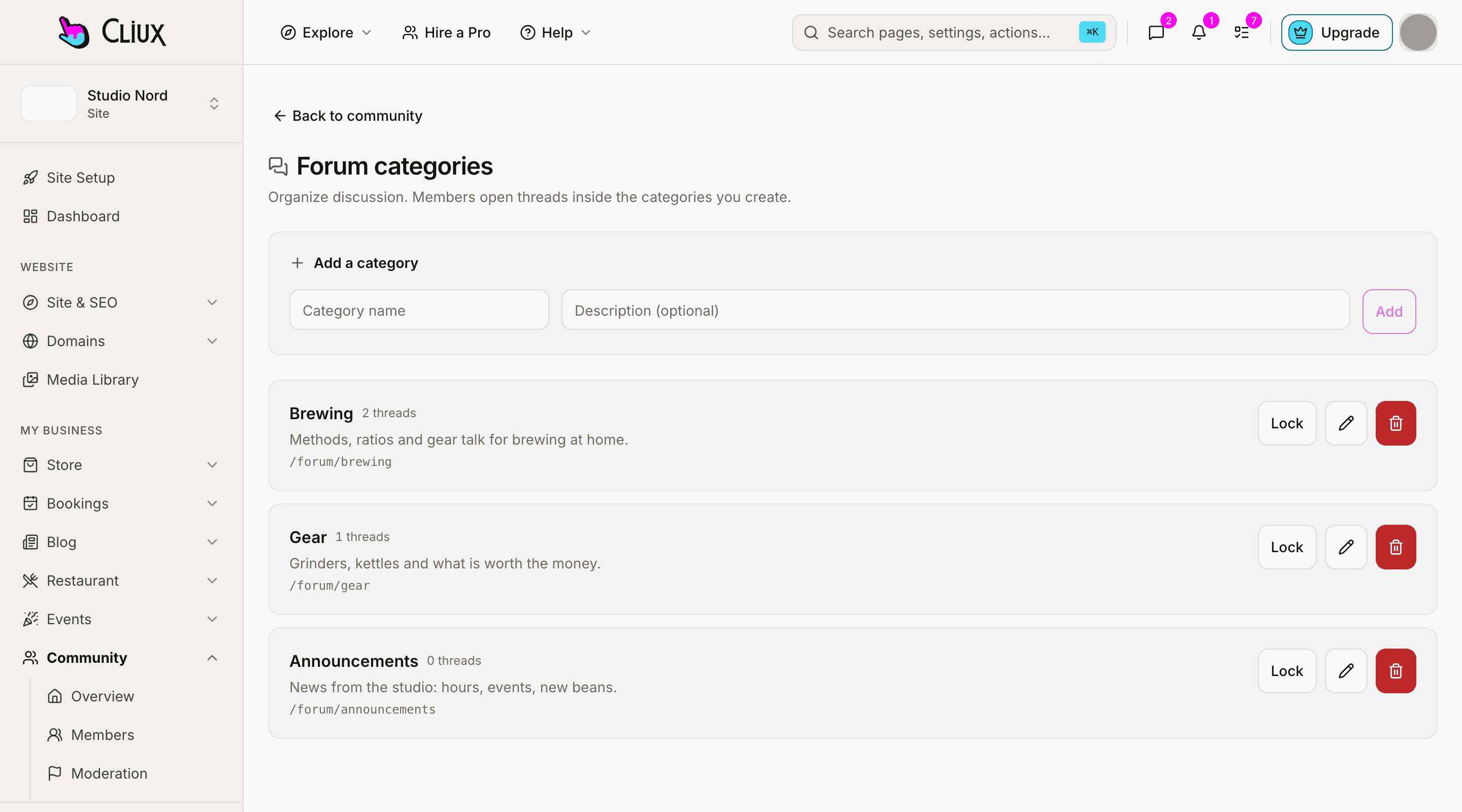
Public, members-only or private. Approve joins by hand or let people in. Owners, admins and moderators handle reports, suspend for a period or ban for good, and hand out badges that can also award themselves on activity. Put pages and posts behind a paid membership plan, and keep the community itself for members.
Five roles
Owner, admin, moderator, member and banned, with the actions each may take.
Badges
Given by hand, or awarded when a member passes a count you set.
Paid access
Gate pages and blog posts with a membership plan billed through Stripe monthly, yearly or once; the community itself can be members-only.
- Modules: feed, forum, groups, messages
- 4
- Notification types
- 10
- Member roles
- 5
- Visibility levels
- 3
Counted in the product, not estimated.
Capabilities
What you get
Every capability below is on every plan; building is free and publishing is the plan.
Feed and reactions
Posts, comments and reactions in a feed your members scroll.
Forum
Categories with parents, threads, replies, locking.
Groups and profiles
Groups with membership; member profiles, follows and a directory.
Direct messages
One-to-one conversations with read receipts, live over a server stream.
Moderation
Reports with a status, time-boxed suspensions, bans, guest-post and approval switches, a welcome message and written rules.
Community analytics
Members, posts and activity over time, in the dashboard.
Go deeper
More on Community
Frequently asked questions
Have other questions?Use the contact form
Yes. The community is part of your site and lives under your domain, with your theme. Members sign up on your site, not on a third-party network.
You can make the community members-only or private, and put pages and blog posts behind a paid membership plan billed through Stripe, monthly, yearly or once. A plan gate on the community as a whole is not in the console today.
In the app: a bell with the ten notification types. Email and push notifications for community events are not sent today.
Direct messages are one-to-one. Groups have their own posts for many-to-many conversation.
Not by file import today. Members join through your site; approval can be required so you decide who gets in.
Get started
Try Community for free.
Building and previewing costs nothing. Publishing with your own domain is $9 a month on a personal site, and the agency Starter plan publishes 2 client sites for free.