

Menu, orders, tables
Your menu online, orders in the kitchen, tables booked.
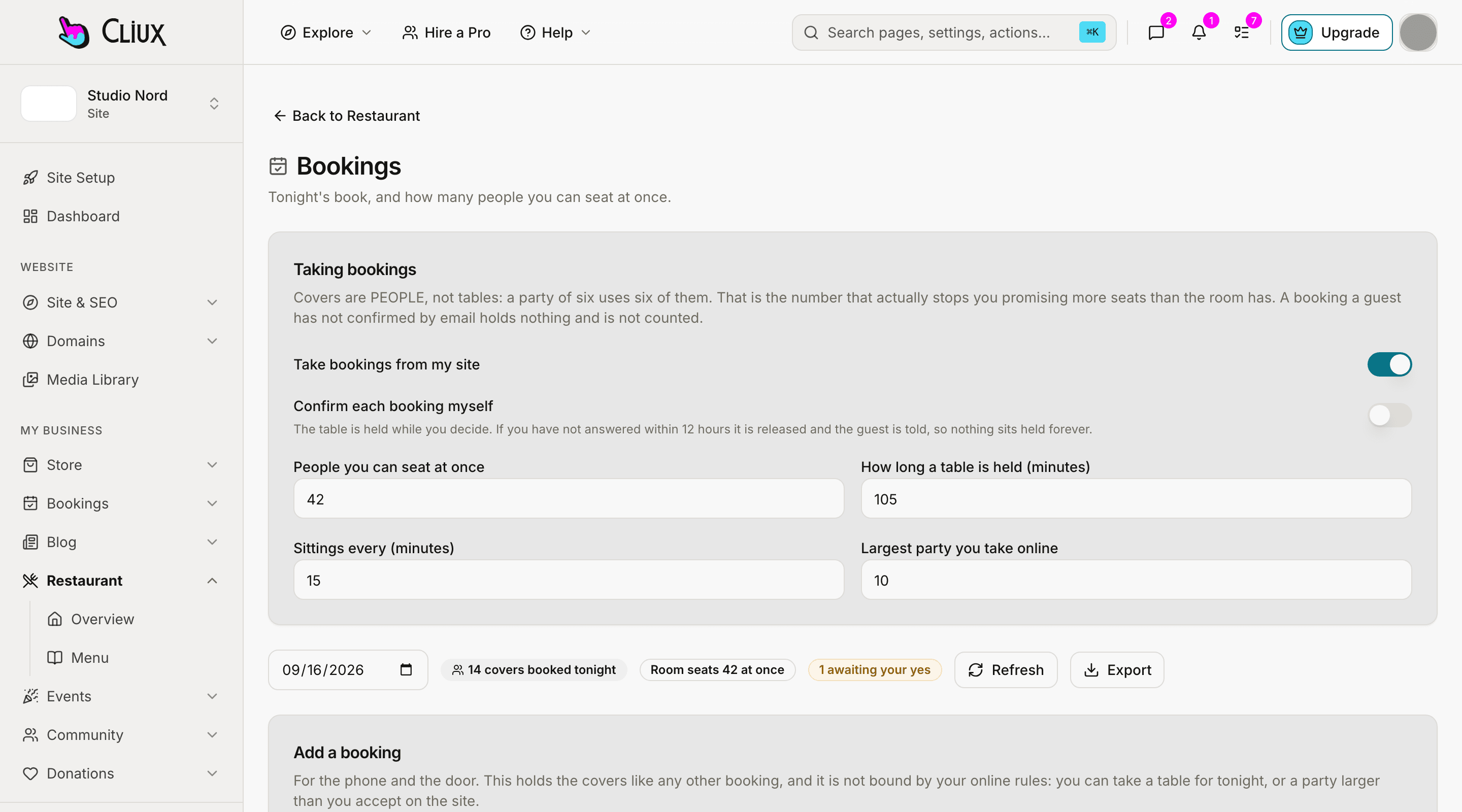
A menu with options and allergens, online ordering for pickup or delivery paid by card or on collection, a live kitchen board, and table bookings that count covers rather than tables. On your own site, with no marketplace between you and the guest.
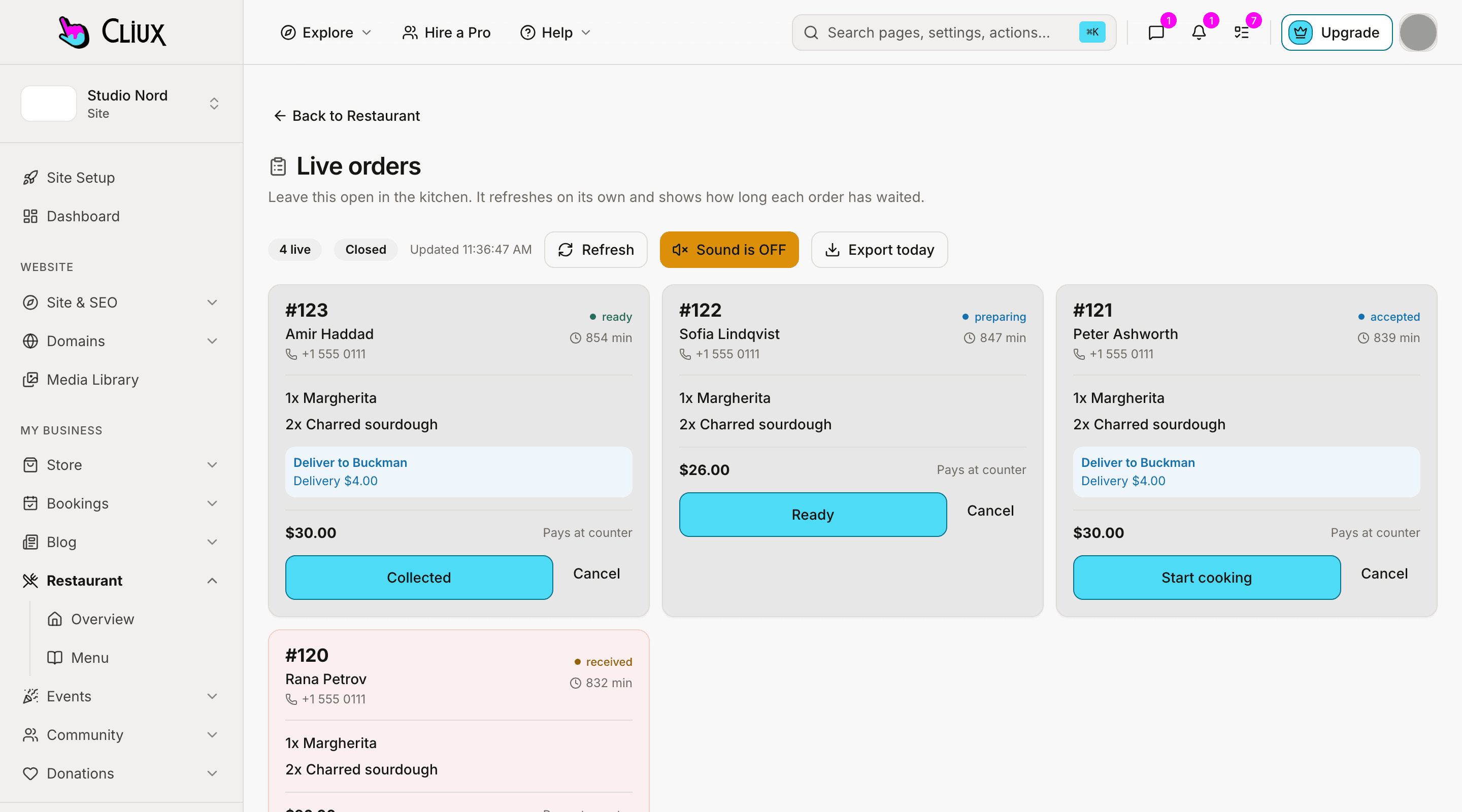
The kitchen board
Orders arrive on a board that tells you how long each has waited.
A paid order lands as received. Accept it, start cooking, mark it ready, hand it over or send it out for delivery; each step is a button, and the guest's order page follows along. Pause ordering with a reason when the kitchen is slammed, and the quoted time stretches with the queue.
Nine order states
From received to completed, with reject and cancel where they belong.
A quoted time that adapts
Prep time plus the queue, batched the way a kitchen actually works.
Sound and a live feed
New orders ping the board; a poll backs up the stream when a tablet sleeps.
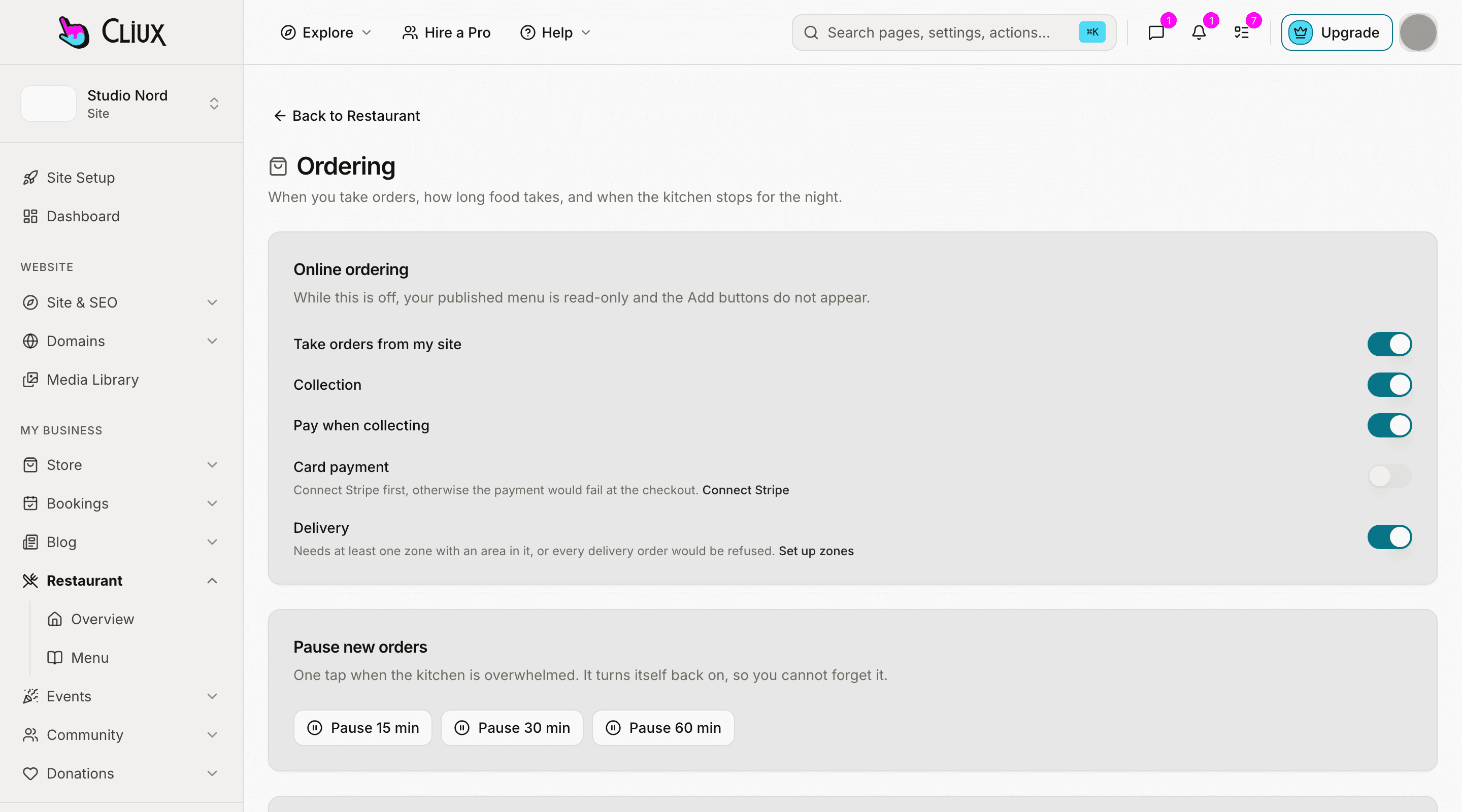
Tables
Bookings that count people, not tables.
Tell it how many people you can seat at once and how long a table is held; it takes bookings up to that, in sittings you choose, with a largest party you allow online. Guests confirm by email so an unverified request holds nothing. Approve each one yourself or let them through.
Covers and turn time
Seats at once, minutes per table, sittings every so many minutes.
Email-verified requests
A booking counts only once the guest has clicked the link.
Tonight's book
Covers booked, who is awaiting a yes, and an export for the door.
- Order states on the board
- 9
- Fulfilment types: pickup, delivery
- 2
- Ways to pay: card online, on collection
- 2
Counted in the product, not estimated.
Capabilities
What you get
Every capability below is on every plan; building is free and publishing is the plan.
Menu with options
Categories, items with a price, image and allergens, option groups with minimums and maximums, and one switch to take a dish off.
Pickup and delivery
Delivery zones the guest picks, each with its own fee and minimum order.
Card online or on collection
Stripe for card payments on your own account; on-collection when you prefer.
Hours and closures
Opening hours per day, one-off closures, a last-order cutoff and a cap on active orders.
Live kitchen board
Every open order with its wait time and its next step, with sound.
Refunds and emails
Order and booking emails to the guest; refunds through Stripe from the order.
Go deeper
More on Restaurant
Frequently asked questions
Have other questions?Use the contact form
No. Online ordering runs on your own site and your own Stripe account. You pay your Cliux plan; Stripe charges its card fee.
Yes. Turn on pay-on-collection and the order arrives unpaid with a note to settle at pickup. Card online can stay on beside it.
Your menu is a page on your site, so any QR generator pointed at its address works. Cliux does not generate the QR code itself, and there is no dine-in ordering from the table yet.
No. Orders come in on the Cliux kitchen board, which runs on any tablet or laptop in the kitchen. There is no integration with a point of sale or a delivery marketplace.
Not yet. Table bookings are confirmed by email and, if you choose, by your approval; no card is taken.
Get started
Try Restaurant for free.
Building and previewing costs nothing. Publishing with your own domain is $9 a month on a personal site, and the agency Starter plan publishes 2 client sites for free.