

Payments
Take payments through your own Stripe account.
Connect a Stripe account once from the console. Every checkout on the site charges it directly, Cliux adds no fee of its own, and a refund is a button in the same console.
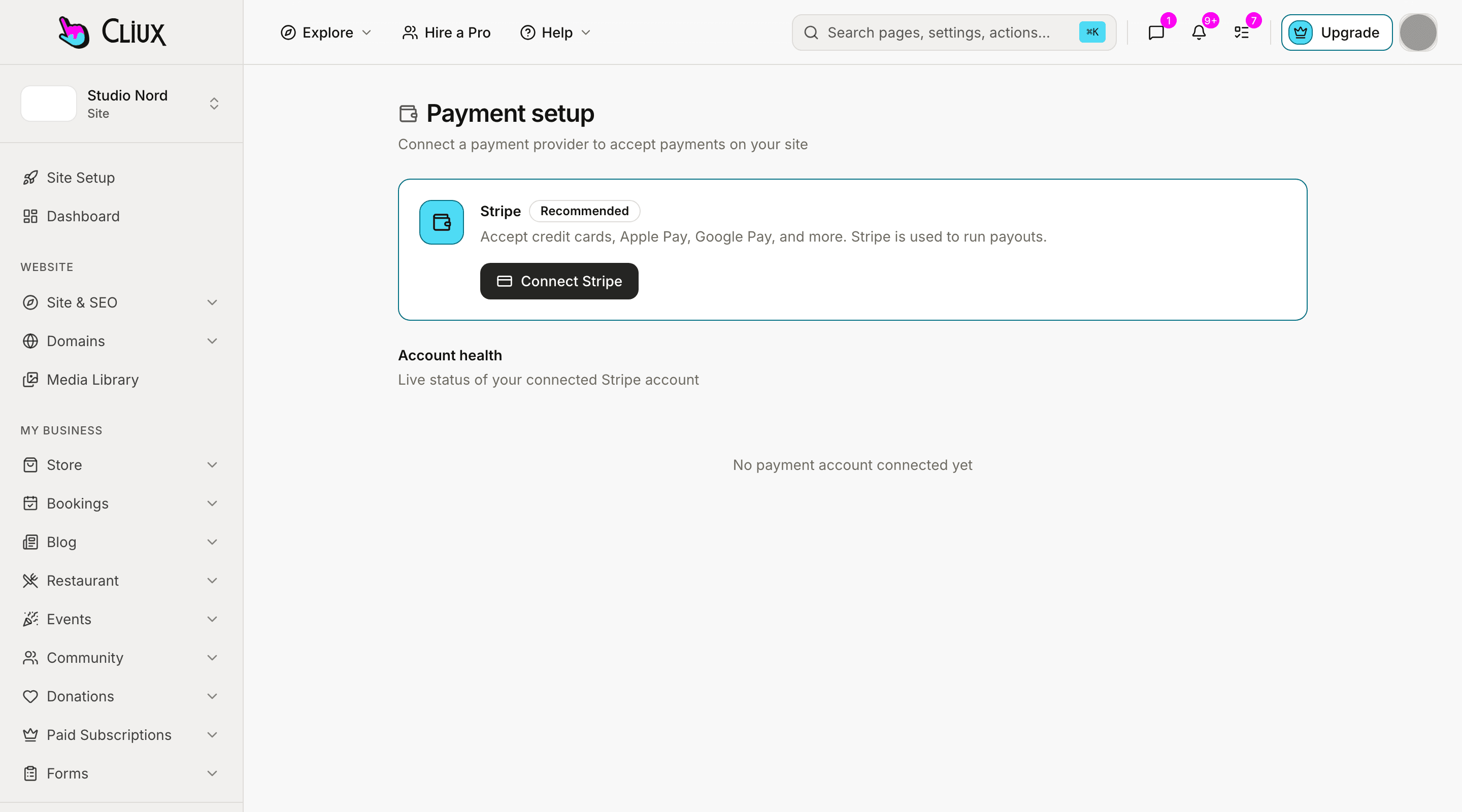
How you connect
Where Stripe is switched on
The screen, the path to it in the sidebar, and what happens when you press the button. Nothing else to install.
Site console
- Payments & Sales
- Setup & Connect
Press Connect Stripe. Stripe asks you to sign in and authorise Cliux; you come back with the account connected and its health shown on the same screen.
Agency console
- Launchpad
- Connect payments
Press Connect Stripe. The agency's own account, for the invoices it sends to clients. Same authorisation, same return.
One connection
Every checkout on the site charges the account you connected.
There is no second setup per feature. The store, the restaurant, event tickets, bookings, memberships and donations each build their checkout from your own catalogue at the moment of purchase and send the visitor to Stripe on your account.
Store, restaurant, events
Card checkout for orders, table orders and tickets, priced from your own products.
Bookings, memberships, donations
Deposits or full payment for appointments, plans with a trial, one-off or monthly gifts.
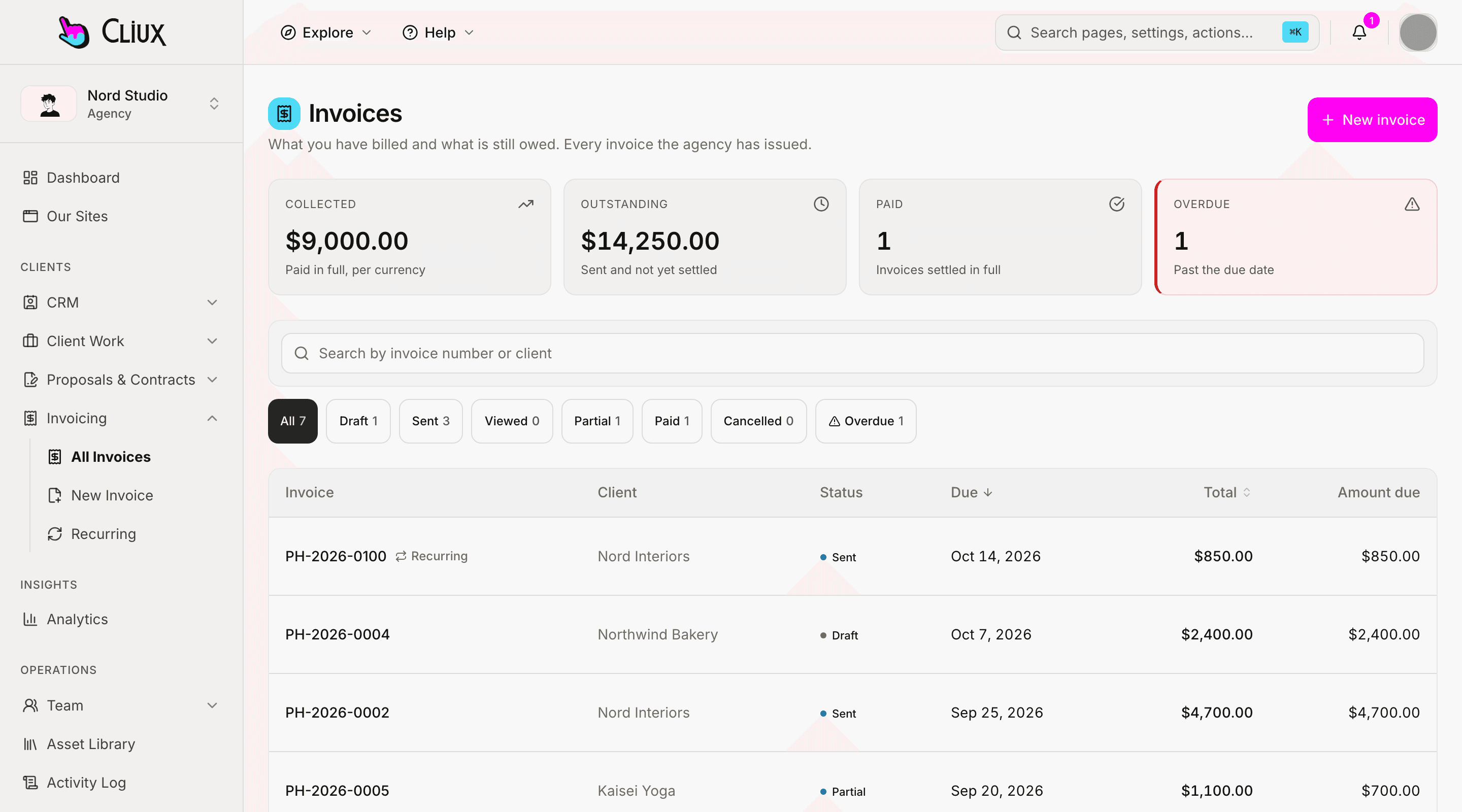
Agency invoices
A client pays an invoice by card into the agency's connected account; the webhook marks it paid.
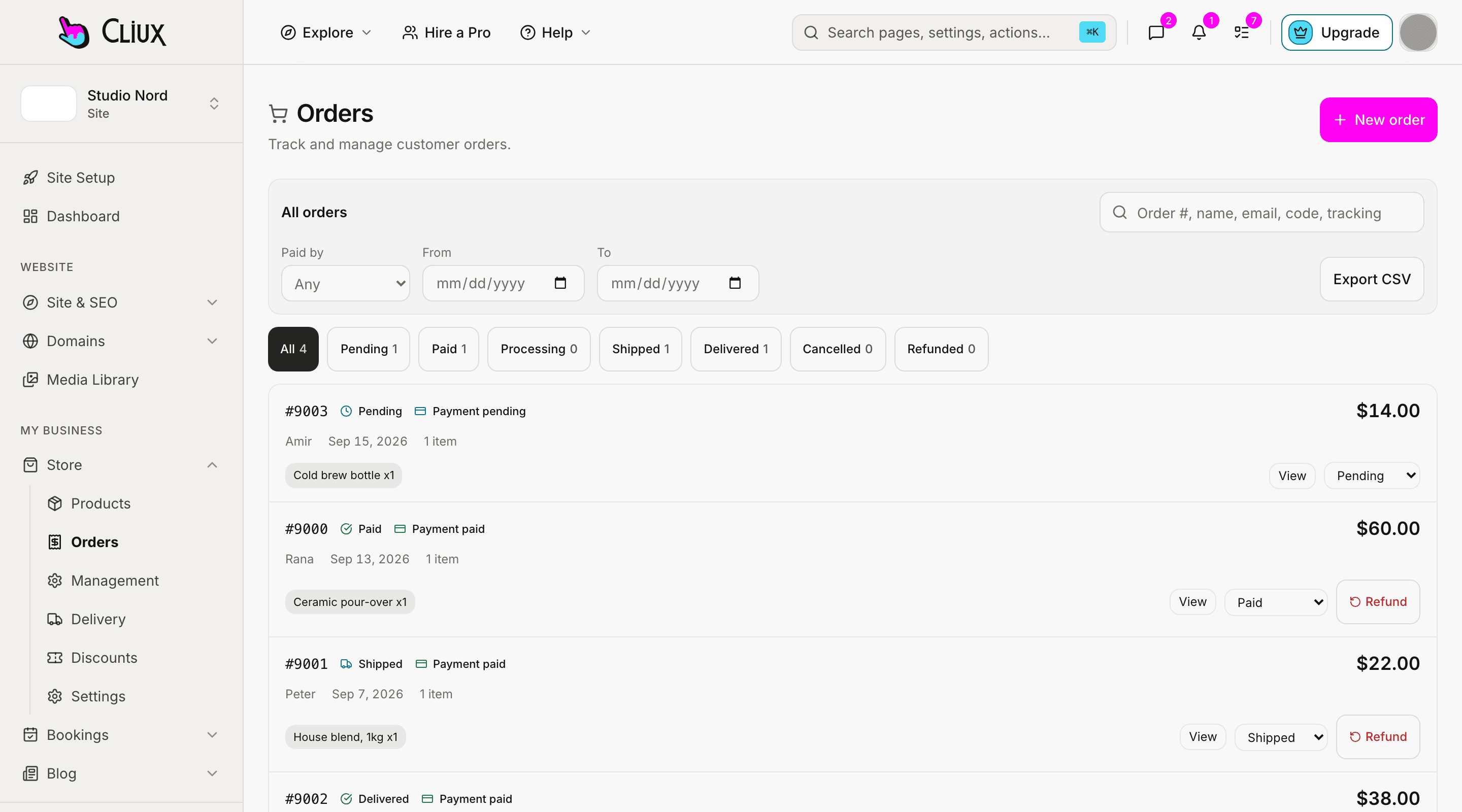
Your money
Refunds from the console, payouts in your Stripe dashboard.
A refund on a store order, a booking or a membership is a button on the row, and it goes back through Stripe on your account. Payouts, disputes and the account itself live in your Stripe dashboard, which the setup screen links to.
Refund on the row
Store orders restock what they can, bookings free the slot, a membership ends its access.
Paid into your account
Direct charges: the money never passes through Cliux.
Health you can see
When Stripe changes the account's standing, or you disconnect it there, the setup screen says so.
- Platform commission on a sale
- 0%
- Checkouts on one connection
- 11
- Currencies the store can charge in
- 27
Counted in the product, not estimated.
What you get
Stripe with Cliux
Connect from the console
One authorisation on the Payment setup screen (Payments & Sales → Setup & Connect); agencies connect theirs from the Launchpad.
Direct charges
Each checkout is created on your connected account. Cliux takes no application fee, and a test in the codebase refuses one being added.
Card payments, on purpose
Checkouts accept cards. Delayed methods that complete days later were left out so an order never finishes against stock the site has already released.
Trials on membership plans
A plan with trial days starts the subscription with that trial on Stripe; the member is active from day one.
Refunds where the order is
Store orders, bookings and memberships refund from their own screens; the refund is a Stripe refund on your account.
Nothing to wire for events
Cliux's own endpoints receive the events of connected accounts. You configure no webhook, and a disconnect made in Stripe is noticed.
Not included
Said plainly, so you can decide
What this connection does not do today. If one of these is the thing you need, tell us through the contact form; the list is prioritised from those requests.
- Stripe Tax
- Prices are charged as shown. Cliux does not switch on automatic tax calculation at checkout.
- Retry schedules for failed payments
- When a member's renewal fails, Cliux marks the membership past due; any retry is what your own Stripe account is set to do.
- Usage-based billing
- Plans are fixed prices per interval. Metered or per-seat billing is not built.
- Bank debits
- SEPA, Bacs and other delayed methods are not offered at checkout, for the reason above.
- A test-mode switch per site
- Your connected account follows the platform's mode. There is no per-site toggle between test and live.
- A product-to-price mapping
- Checkouts price from the Cliux catalogue at request time. One page-builder payment button takes a Stripe Price ID you paste; nothing else asks for one.
Frequently asked questions
Have other questions?Use the contact form
In the site console under Payments & Sales → Setup & Connect, with the Connect Stripe button. An agency connects its own account from the Launchpad's Connect payments step. There is no separate integrations screen.
No. Every checkout is a direct charge on your connected account with no application fee. Stripe's own processing fee applies, as it would anywhere.
Store orders, restaurant orders, event tickets, bookings (single, series and packages), donations, paid membership plans, the page-builder payment button, and the invoices an agency sends its clients.
No. Cliux's own endpoints receive the events of every connected account, verify their signature and act on them: an order paid, a subscription changed, a refund, a dispute, a disconnect.
Yes, on the order, booking or membership itself. The refund is issued on your Stripe account and the record on the site follows.
No. Prices are charged as you set them. Stripe Tax is not switched on by Cliux.
Get started
Try Stripe on a Cliux site.
Building and previewing costs nothing. Publishing with your own domain is $9 a month on a personal site, and the agency Starter plan publishes 2 client sites for free.