

Availability
Your week, your rules; slots that respect both.
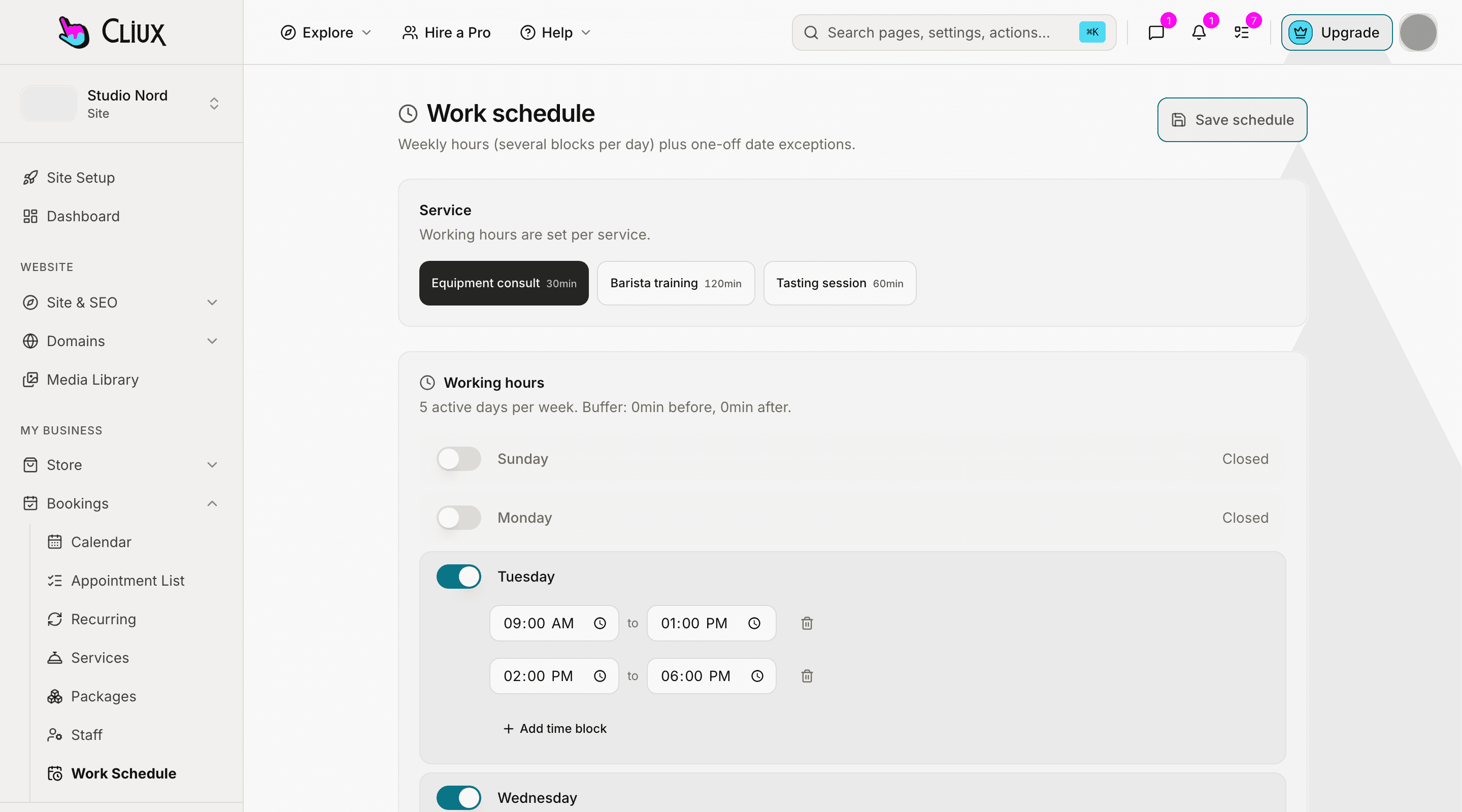
Weekly hours per service and per staff member in several blocks a day, buffers, minimum notice and a booking horizon, one-off days off, and slots computed in your timezone and shown in the visitor's. A month calendar for you; a calendar file for them.
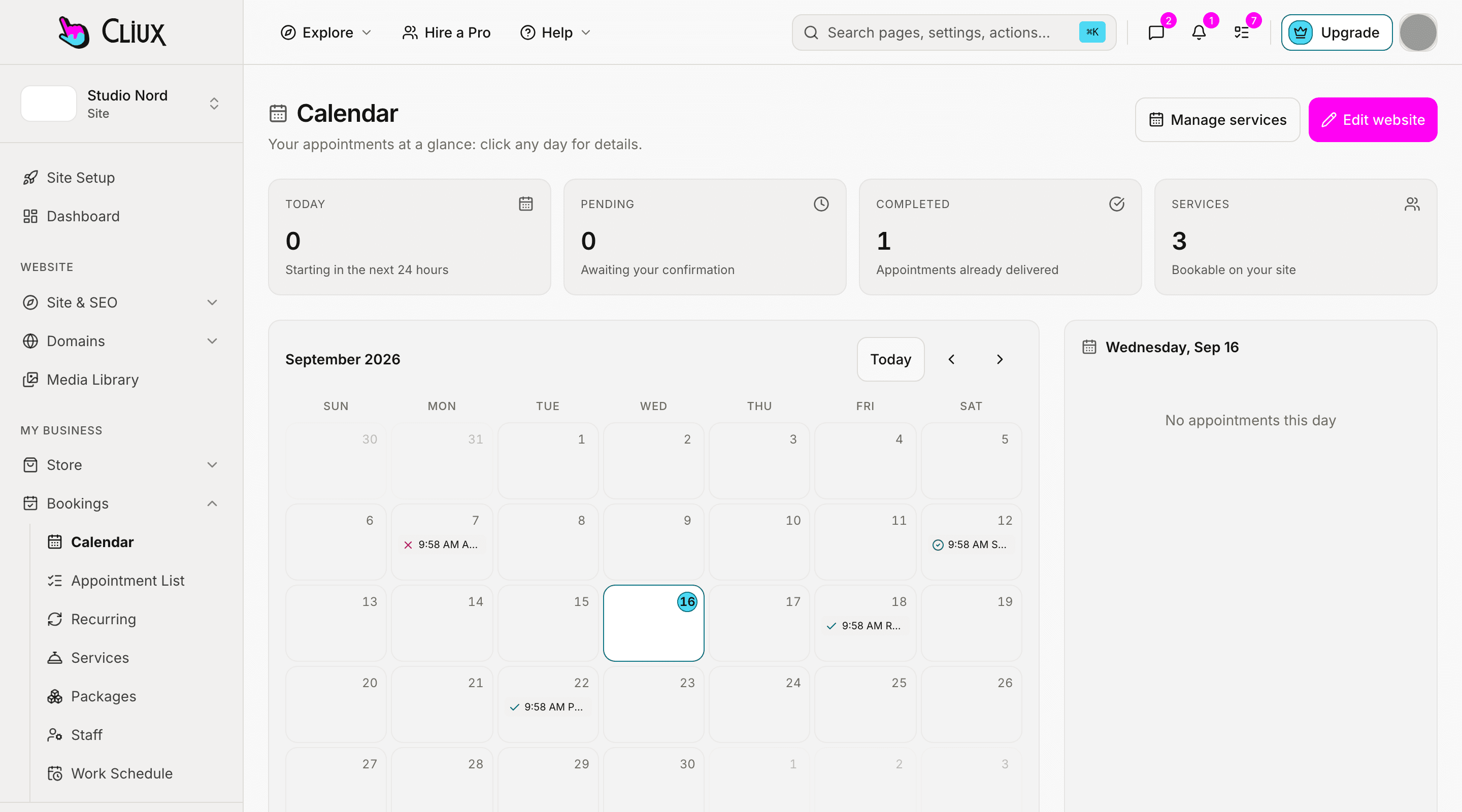
The month at a glance
Every appointment on one calendar, and a day pane beside it.
Your calendar shows the month with a pane for the selected day. Reschedule from there with an availability picker, and let customers move or cancel their own booking from the signed link in their email, as long as they are outside the cancel window you set per service.
Month view with a day pane
Prev, next, today, and the day's appointments beside the grid.
Owner reschedule
Pick a free slot from the same engine customers use, or override it on purpose.
Customer self-service
A signed manage link for cancel and reschedule, closed inside the cancel window.
- Slot rules per service
- 8
- Days ahead a customer may book, by default
- 60
- Quick presets for the week
- 4
Counted in the product, not estimated.
Capabilities
What you get
Hours in blocks
Several blocks a day, days on or off, and quick presets for the common weeks.
Per person, too
Each staff member has their own hours; a customer picks a person or anyone available, and the slots are the union.
The eight rules
Duration, buffer before and after, slot interval, minimum notice, horizon, timezone and group size, per service.
Days off
One-off blocked dates or windows across every service, deletable when plans change.
Two timezones, one truth
Hours live in the service's timezone; the visitor sees slots in theirs.
Calendar files, not sync
Confirmation and reschedule emails carry an .ics file and an add-to-calendar link.
Part of
Bookings
Frequently asked questions
Have other questions?Use the contact form
Not two-way. Every confirmation carries an .ics file and an add-to-calendar link, so appointments land in your calendar; your calendar's other events do not block slots here.
Not as a number. Shape the day with hours, buffers and a slot interval; a group service takes a set number of seats per slot.
Yes. Add a date or a time window under exceptions and it blocks every service; delete it when you are back.
Each service has a timezone and its hours are read in it. The booking widget sends the visitor's zone and shows the same slots in their local time.
The owner calendar is a month grid with a day pane; the appointment list covers the rest. A week view is not built.
Get started
Try Bookings for free.
Building and previewing costs nothing. Publishing with your own domain is $9 a month on a personal site, and the agency Starter plan publishes 2 client sites for free.